Intuit / Virtual Expert Platform
Making the expert appointment happen.
I designed the moments where Intuit experts meet customers when promised, then see how they're doing, and grow. This work spans appointments, video meetings, performance, and the internal systems experts use every day.
- Role
- Product Designer, Virtual Expert Platform
- Products
- TurboTax, QuickBooks, and expert tooling
- Partners
- Product, six service engineering teams, TPM, and analytics
- Timeline
- Present
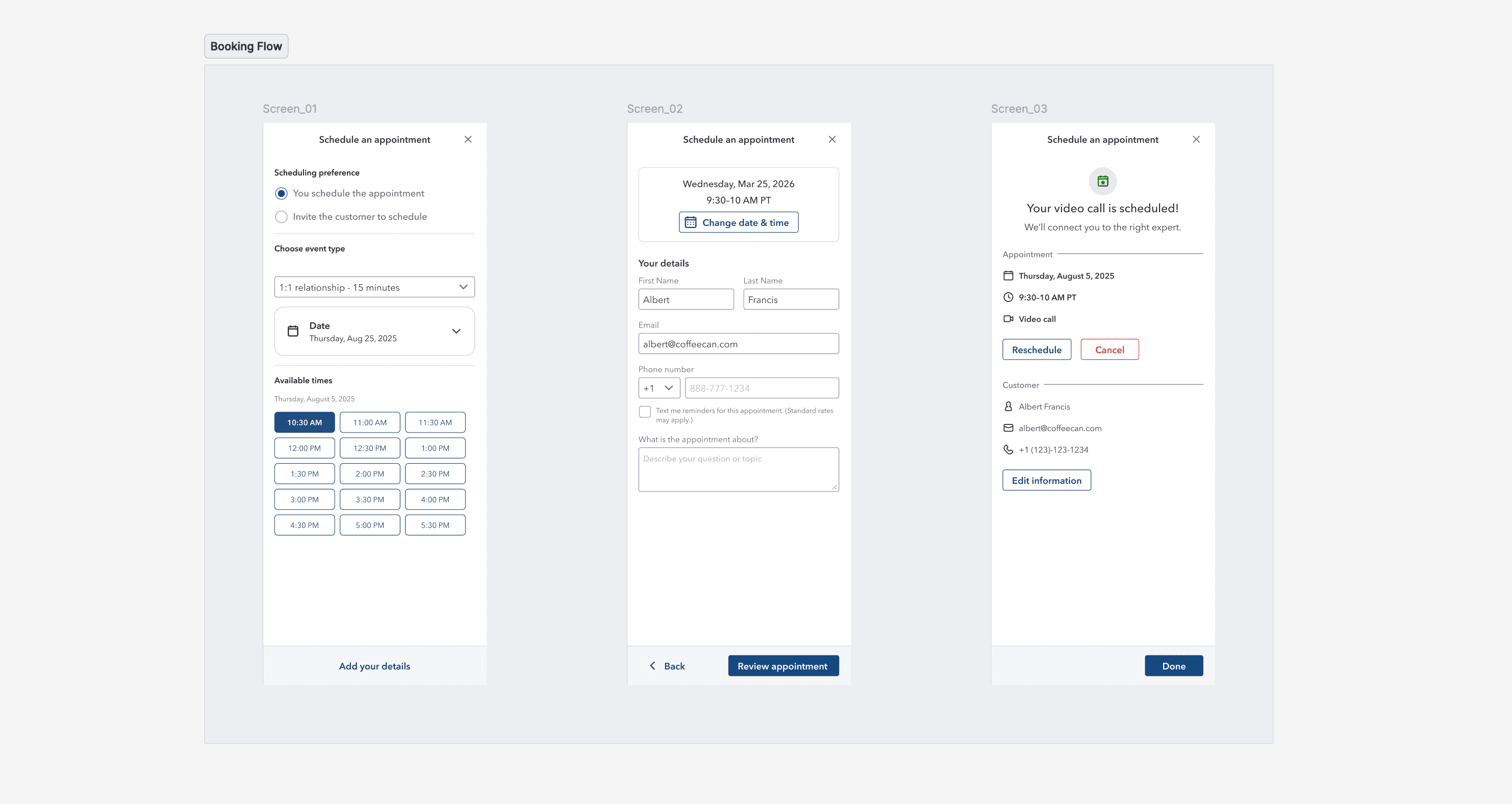
Highlight 01
Cutting expert-missed appointments from 19% to 7.66%.
A cross-team mission reduced expert-missed 1:1 appointments across one tax season.
An appointment can happen over video, phone, or in a store. When the expert doesn't show up, the customer waits and may leave. In TY24, even after recovery calls, roughly 19% of appointments were still truly missed. The miss rate represented about a $1 million FY26 problem in unproductive expert time and lost customers.
The expert was putting in full effort, but in vain.
Their day is a queue of work that competes for the same time:
- On-demand calls that arrive whenever customers need help
- Scheduled calls that begin at fixed times
- Breaks & back-office that protect focus and keep work moving
The system was mature and carrying live traffic in the middle of tax season. The work crossed Appointments, Contact Management, Conversations, Routing, the expert console, and analytics. It also had to work across Salesforce, QuickBooks, and TurboTax, inside what each team could ship in days, not quarters.
Flow 01
Tell the customer you're running late.
An expert deep in an overrunning call had no way to update the next customer. The flow adds a 15-minute reminder, a five-minute escalation, and, at the appointment, a fast action to say “I'm running late” and choose 5, 10, or 15 minutes.
We reduced that action to a single decision and duration, not a form. We also compared email, in-product chat, and both by designing the customer view alongside each option. For appointments after a break, reminders move to 30 minutes before the meeting, when they can still help.
View the running-late flow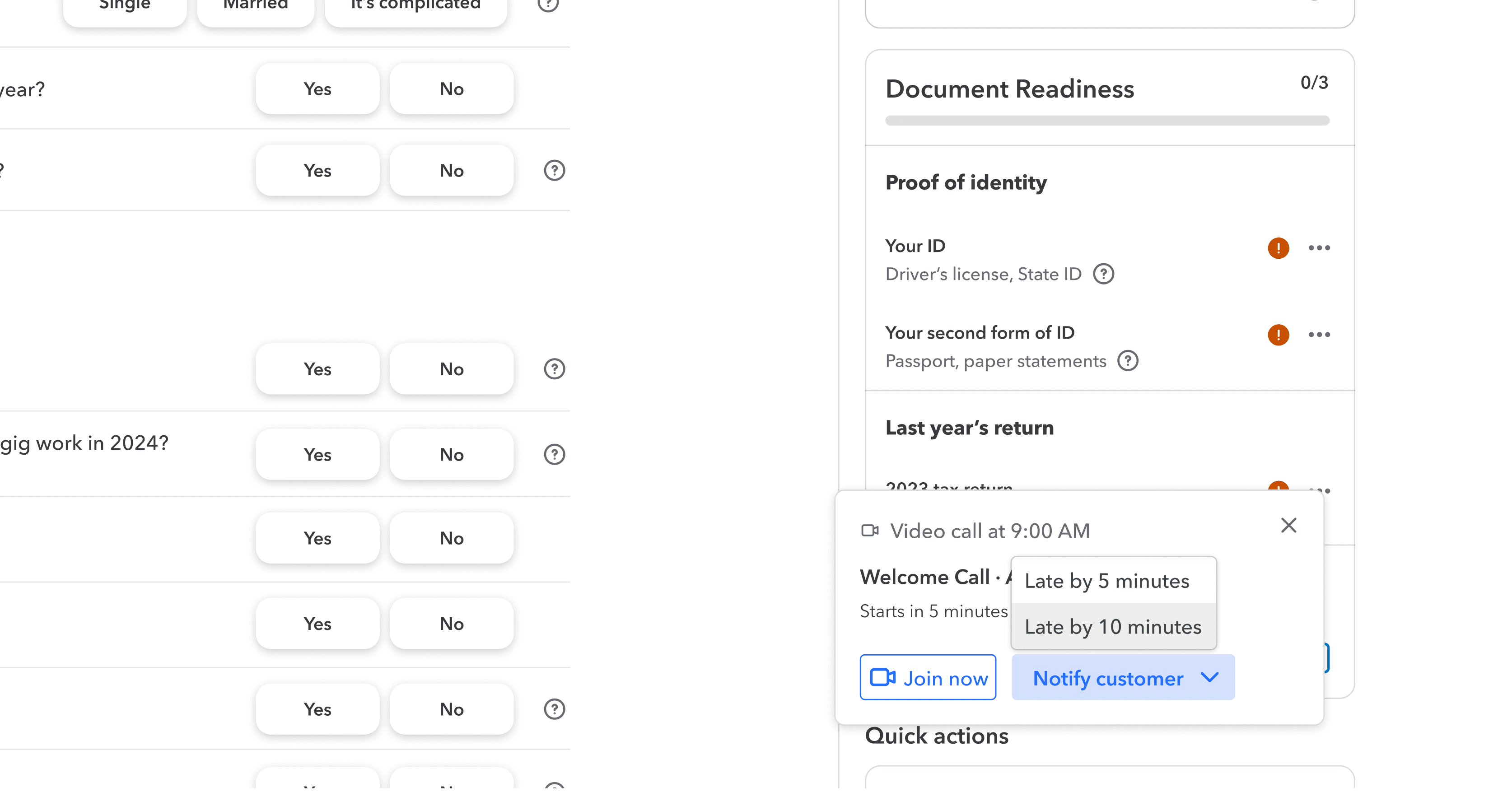
Flow 02
Join from the appointment list.
Before this, an expert who missed a telephony pop had to find the right email and link. The appointment list now keeps the appointment for its full duration and lets the expert join directly. Join becomes available five minutes before start, then disables after the window passes.
Most of the design work was in recovery: joining while already on a call, selecting a different appointment than the one currently popped, rejoining after an appointment ends, or reopening a video window. Each state maps to a service behavior and gives the expert a clear, non-punitive next step.
View the appointments list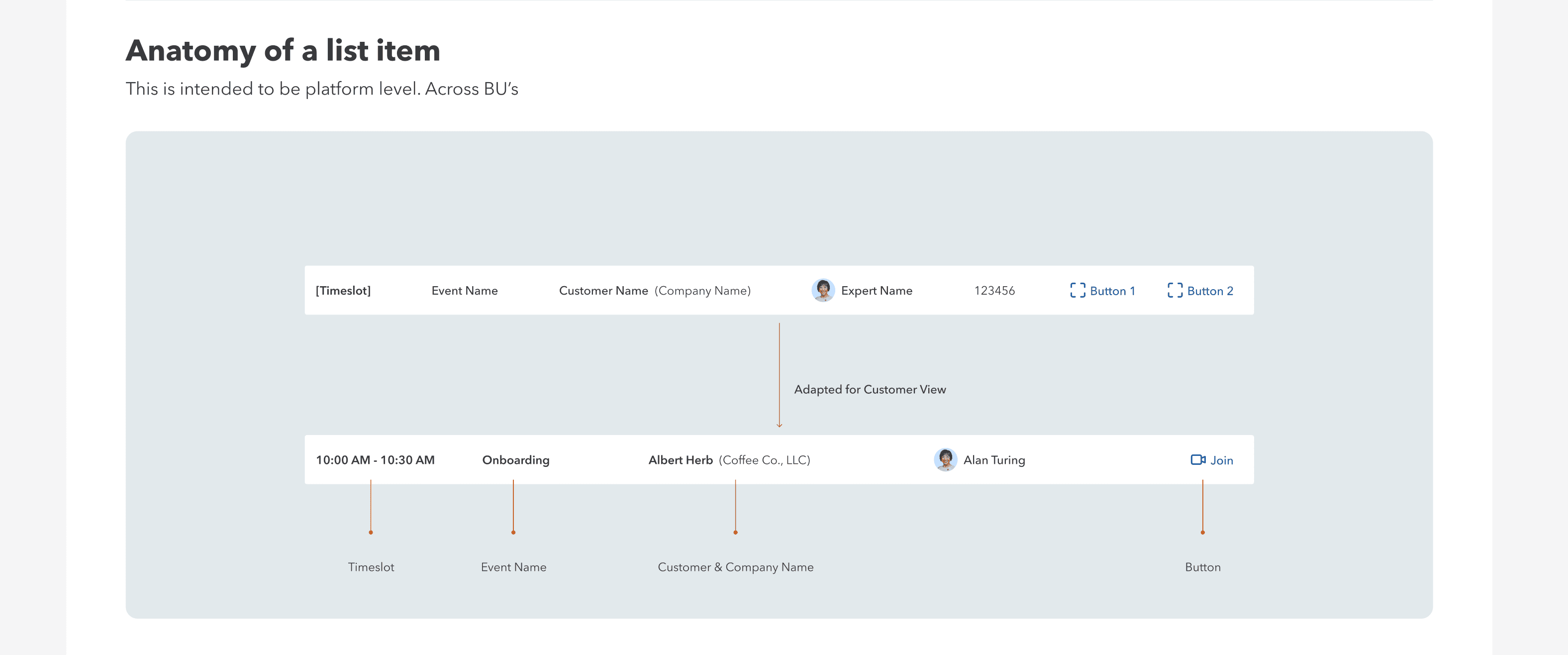
Use what the system already knows.
Both flows use existing Intuit Design System components, placed where teams could pick them up within a two-week window. We designed them as reusable components, rather than one-off screens, so they could travel across business units.
In a mission reviewed against a live metric, we chose the interaction that could ship this sprint. The higher-leverage move was to preserve what a large team had already built and focus the design effort on the few places where experts lose the appointment.
- 19%TY24
- 16%Feb
- 16%Early Mar
- 11%Late Mar
- 7.66%Apr 1–7
Result
Small surfaces, placed at the failure point.
This result belongs to six engineering teams, product management, and analytics working together. My contribution was the expert-facing design of both flows and the judgment around when to interrupt an expert, and when not to. Appointment-pop delivery improved from 54% to 88% once pops could fire outside Available status. Phase 2 now targets under 3%, with a waiting room, live delay messaging, and fallback options for customers.
The wider appointments platform.
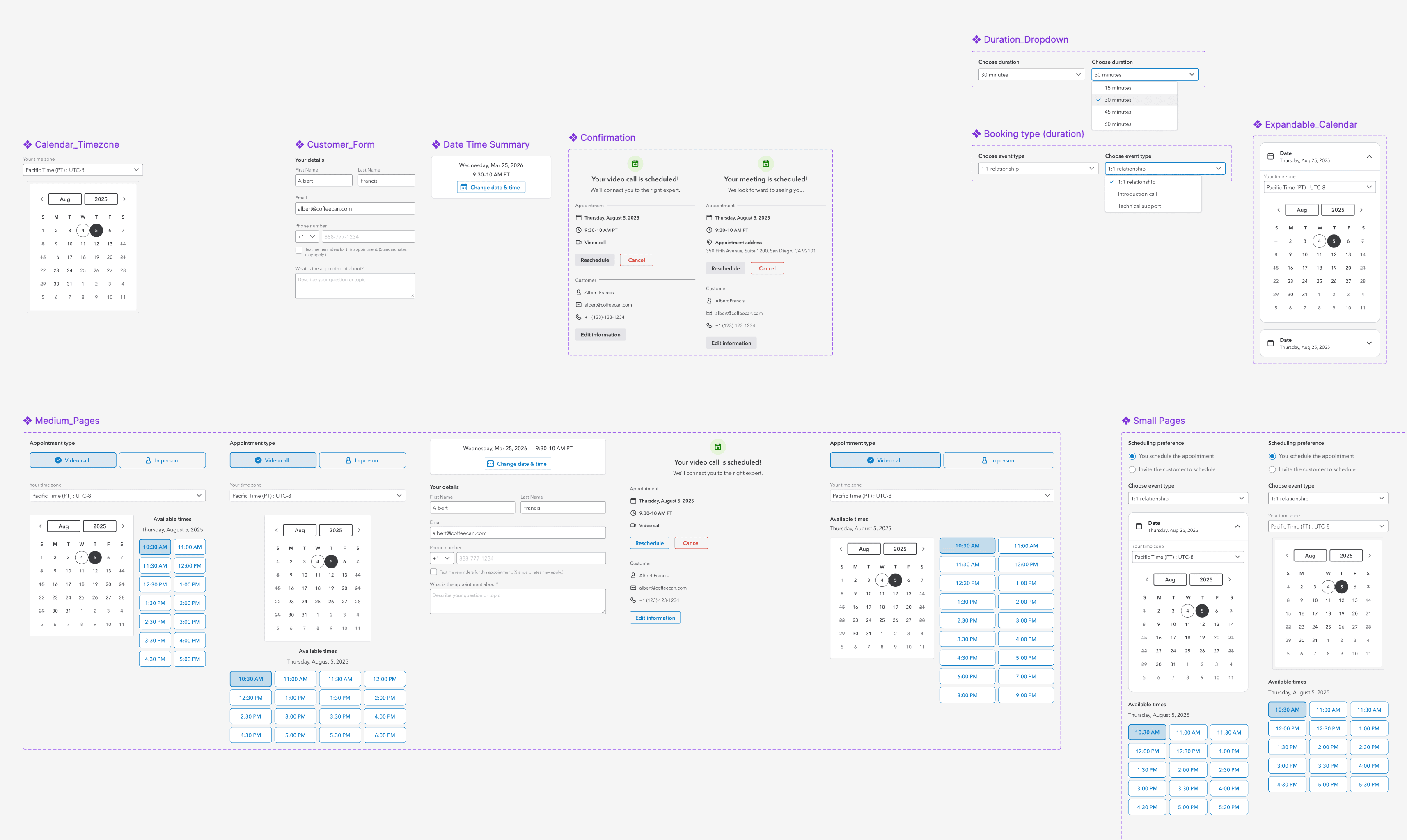
The work sat inside a longer appointments track: booking-type configuration, monitoring and bulk uploads, staff-aware automation and routing, time-zone handling, waiting rooms, reassignment, and multi-participant appointments.
I pushed for configuration and back-office tooling because it shapes the customer experience just as much as the front-end surface. A misconfigured booking type can create a bad appointment for a real customer, and a difficult admin tool takes attention away from the person in front of the expert.
View the self-serve UI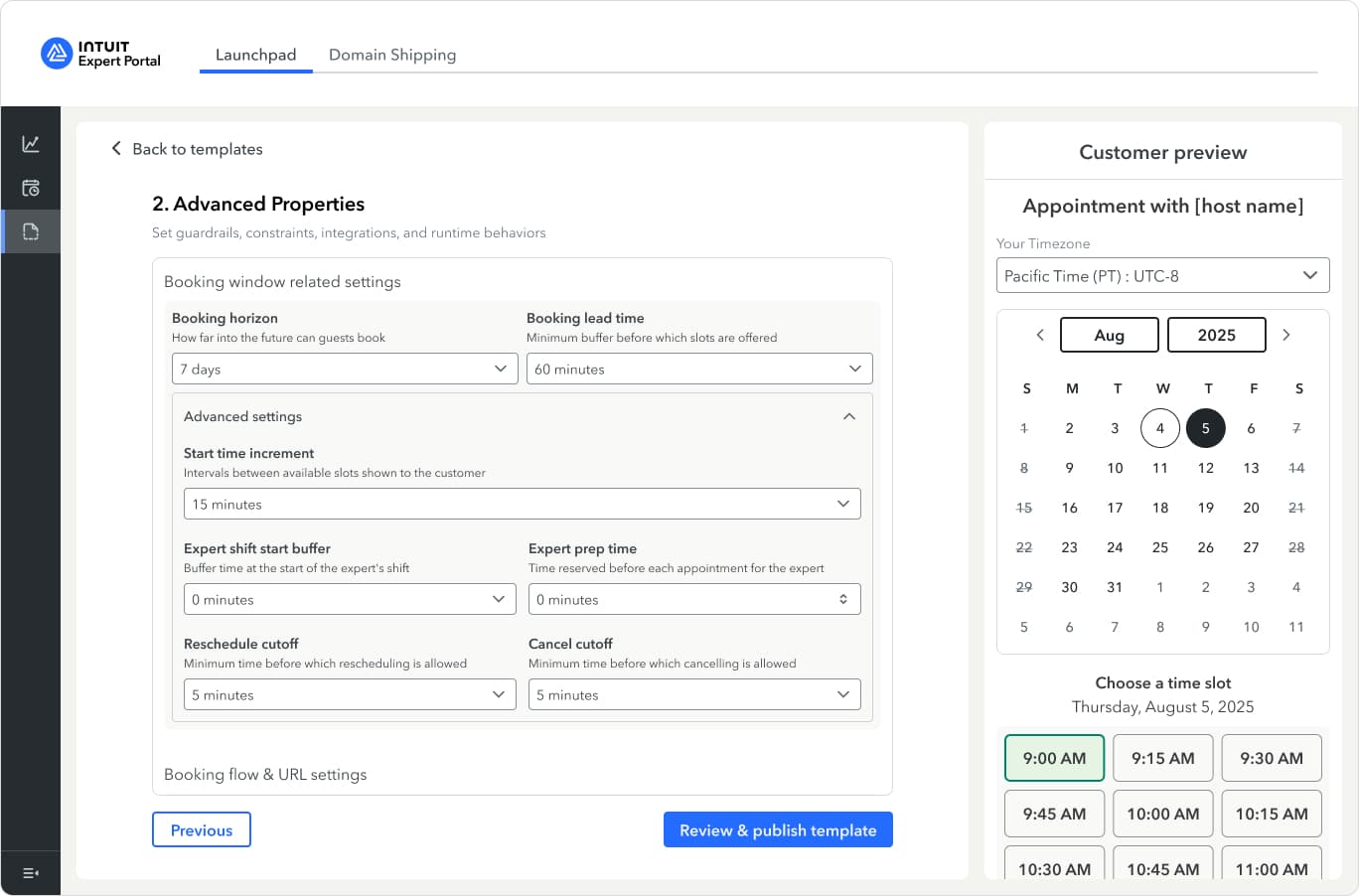
Highlight 02
Designing performance and coaching for experts.
Direction validated with experts. High-fidelity design in build.
Experts had limited visibility into their performance, and managers lacked a shared view for coaching conversations. Without that common ground, coaching becomes opinion, and experts can't see the link between how they work and what they earn.
We approached the existing experience from first principles, using inherited follow-me-home studies, prior research, the PRD, and external benchmarks as the foundation.
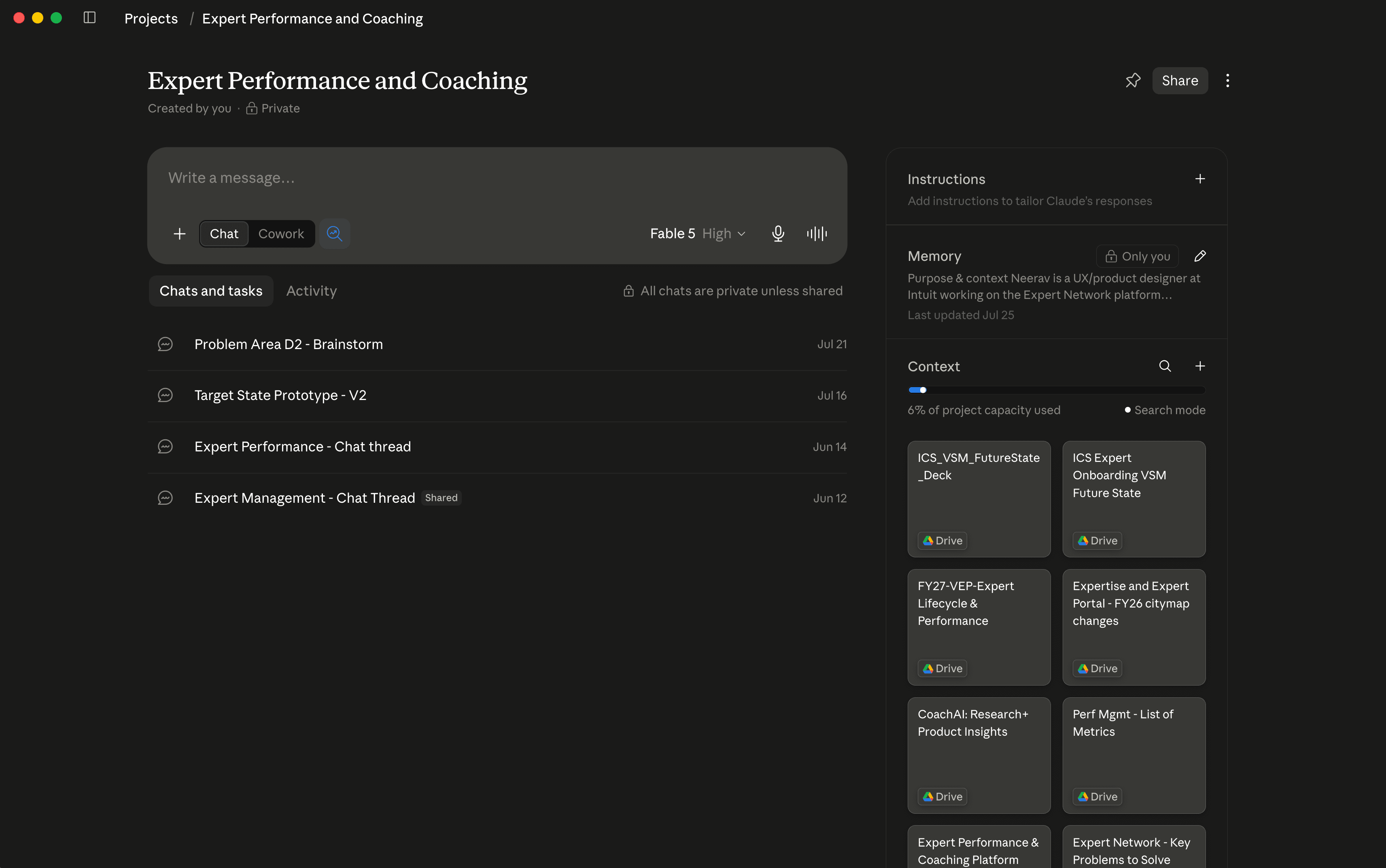
AI helped me find connections, not make decisions.
I used Claude as a knowledge base for the inherited research, requirements, and benchmarks. It helped surface patterns across material I couldn't hold in my head at once, including links between older findings and current requirements.
It did not decide the direction. Every principle we kept could be traced to specific evidence and defended on its own. The work became a documented foundation before a screen was designed.
Make the principles useful when the team needs them.
My colleague Disha and I documented expert and manager journey maps, then built the design principles into an interactive microsite. A deck gets presented once. A microsite can be linked in a Slack thread months later, when someone needs to decide whether a pattern fits.
View the principles micrositeThe expert should reflect after service.
The prototype gives experts a view of their own performance and coaching-plan cards that an expert and manager can use together. A key sequencing decision shaped it: appointments and engagements come first in an expert's day. Performance reflection needs to earn space in quieter moments.
I built a low-fidelity, working prototype with AI-assisted tooling, then moderated a roundtable with tax experts. For a sensitive subject like performance, people could react to something concrete rather than a question about their competence. Their feedback was direct, specific, and changed the direction.
The refined design is in build. The next step is validating it with the same group and defining success measures once it ships.
View the low-fidelity prototype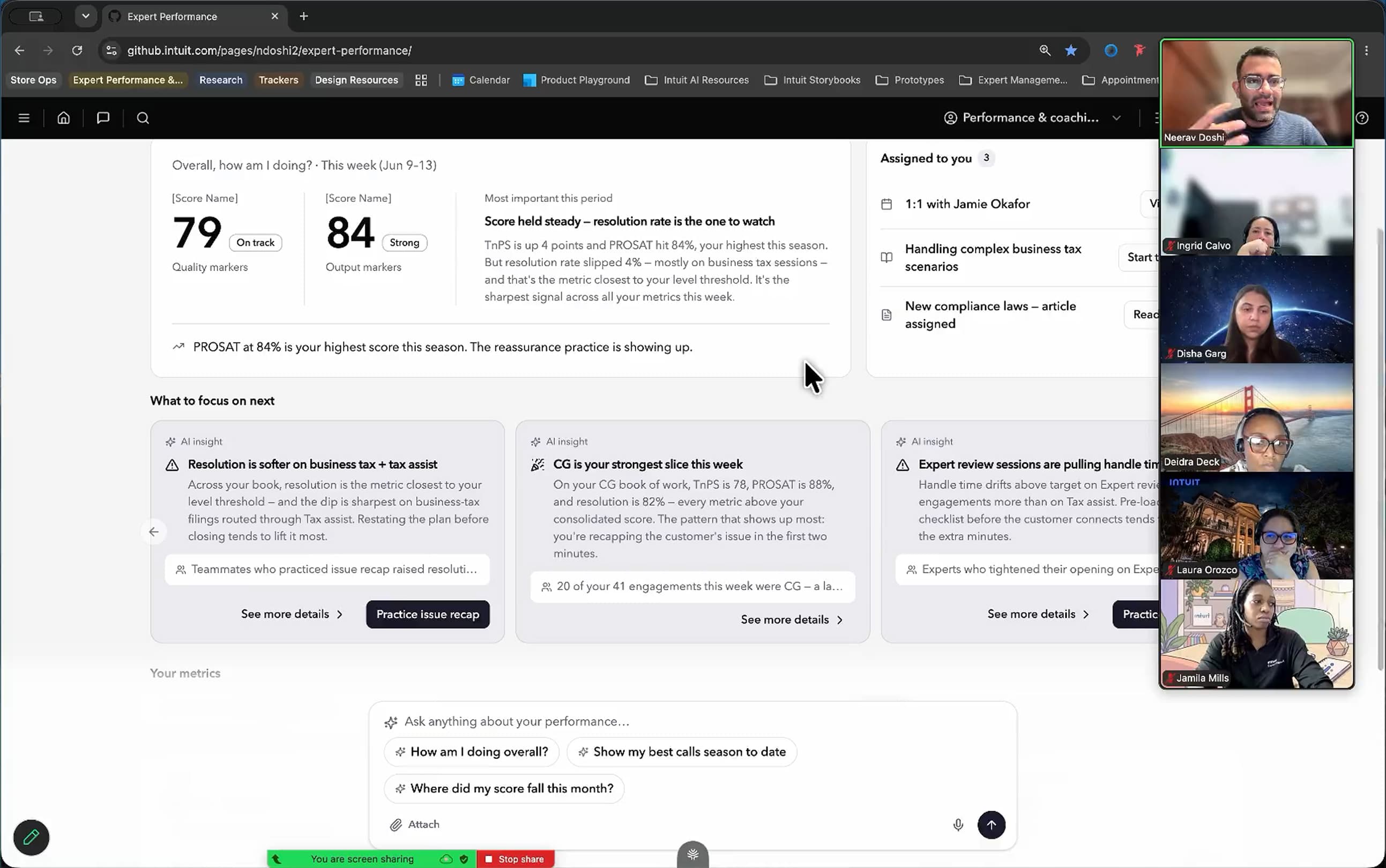
How I work now
AI in the design process.
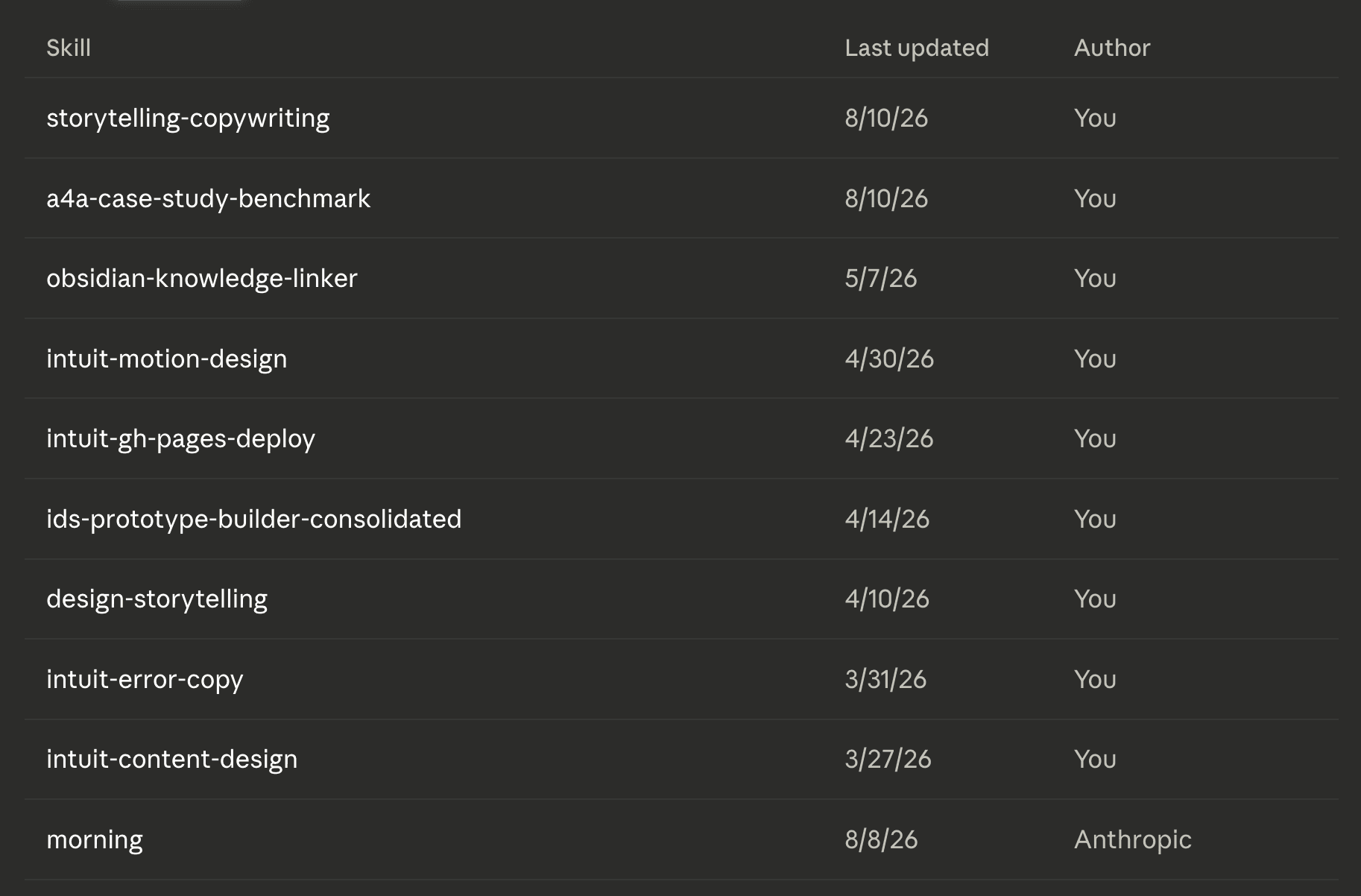
I turned repeatable parts of my process into skills for Claude Code and Figma Make: content design and audits against Intuit standards, Intuit Design System compliance audits, coded prototypes, early low-fidelity flows, and motion guidance. The skills are now used across my immediate team of 10 people.
On appointments, Figma Make moved alignment conversations from slides to reactions to working flows. For one micro-flow, I handed an engineer a coded, Intuit Design System-compliant prototype. I don't have a measured implementation gain, so I don't claim one. The useful signal was that pattern decisions and token use were already resolved.
I've also built smaller systems on top of IDS: a video-meetings shell adopted by the team that took over the Zoom track, and an appointments system that I'm preparing to hand forward. A system intended for someone else has to be legible to someone who wasn't in the room.
View the coded prototypeCraft, volume, and the human conversation.
AI makes volume easy, not quality. I treat its output as a first draft that must survive the same critique as any other. I'm also learning what to ignore as generated material multiplies, and where people need to remain in the loop. I don't want a future where my agent talks to your agent.
The direction I'm working toward is a high-fidelity, working prototype from a whiteboard sketch or written requirement. That would make more ideas testable earlier, while they're still inexpensive to change.
I'm also learning how to work with the constraints of a platform already functioning at scale. It's not easy to pivot quickly when many systems depend on a shared experience and a change can break someone's workflow.
More of the work in this period.
- Intuit Assist on mobileEnhanced the mobile chat experience before company priorities shifted the track.View work
- Video meetingsSet up the shell design system that supports the Zoom capability.View work
- Store operations toolDesigning an iPad tool for concierge staff in physical TurboTax stores.View work
- Motion design and storytellingHelped colleagues turn their work into leadership case-study videos.View work